Why your website feels slow, and the three numbers that prove it
Speed isn't a feeling. Google measures it with three specific numbers. Learn what they mean, where to find them and which fixes move them most.

"The site feels slow" is one of the least useful bug reports in the world. Slow where? On what phone? Compared to what?
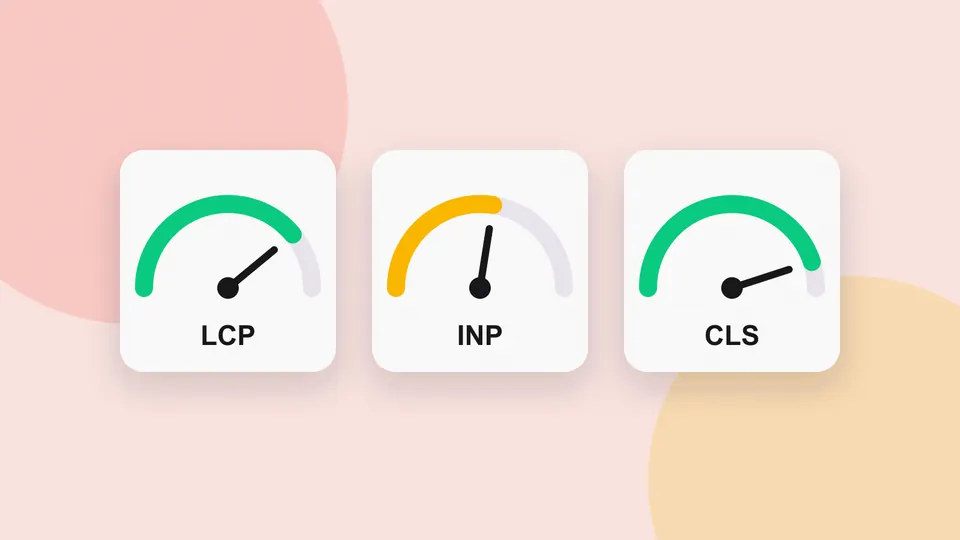
Google has a better answer. It boils page experience down to three measurements called Core Web Vitals. Each one tracks a different kind of slow. Once you know which one is failing, the fix is usually obvious.
The three numbers
| Metric | What it measures | Good score |
|---|---|---|
| LCP (Largest Contentful Paint) | How long until the main content shows up | 2.5 seconds or less |
| INP (Interaction to Next Paint) | How quickly the page reacts when you tap or click | 200 milliseconds or less |
| CLS (Cumulative Layout Shift) | How much the layout jumps around while loading | 0.1 or less |
INP replaced an older metric called FID in March 2024. If you read a guide that still talks about FID, it's out of date.
Where to find your real scores
Paste your address into PageSpeed Insights. You'll see two sets of results, and the difference trips people up.
- Field data comes from real Chrome users visiting your site over the last 28 days. This is what Google actually uses.
- Lab data is a single simulated test run right now. Great for debugging, but it's one phone on one connection.
Fixing LCP: make the main thing arrive sooner
On most pages the largest element is a hero image or a big headline. If it's an image, that image is usually the problem. Too large, the wrong format, or loaded too late.
- Serve modern formats like WebP or AVIF, at the size it's actually displayed.
- Don't lazy load the hero image. Lazy loading is for images further down the page.
- Tell the browser it's important with
fetchpriority="high". - Cut the server response time. Caching and a decent host matter more than any plugin.
<img
  src="/hero-960.webp"
  srcset="/hero-480.webp 480w, /hero-960.webp 960w, /hero-1600.webp 1600w"
  sizes="(min-width: 1000px) 960px, 100vw"
  width="1600" height="900"
  fetchpriority="high"
alt="Dashboard showing this week's orders">Fixing INP: stop blocking the main thread
Poor INP means the page is busy when someone tries to use it. They tap a button and nothing happens for half a second. It feels broken, even if it isn't.
The usual cause is too much JavaScript running at once. Chat widgets, heavy sliders, five different tracking scripts. Each one wants the main thread at the same moment.
- Remove scripts you don't truly need. Every tag manager accumulates junk over time.
- Load third-party widgets only after the page is ready, or when someone asks for them.
- Break long tasks into smaller pieces so the browser can respond in between.
The fastest JavaScript is the JavaScript you never send.
Fixing CLS: give everything a reserved seat
Layout shift is when you go to tap a link and an ad loads above it, pushing everything down. You tap the wrong thing. Everyone has done it, and everyone hates it.
- Always set
widthandheighton images and videos so the browser can save space for them. - Reserve space for ads and embeds with a fixed minimum height.
- Avoid inserting banners above content after the page has loaded.
- Use
font-display: swapand similar fallback fonts so text doesn't jump when web fonts arrive.
If you'd rather have someone go through your site with you, that's part of our SEO services.
They're one of many signals. Great content on a slow page can still rank, but between two similar pages, the faster one has an edge, and visitors are less likely to leave.
Phones have slower processors and often slower connections. Most real visitors are on mobile, so that's the score to care about.
Caching mostly helps server response time, which feeds into LCP. It won't fix oversized images, heavy scripts or layout shift on its own.
Written by
Founder, Modulus Tools
Usama builds easy to use AI tools, Chrome extensions and WordPress plugins at Modulus Tools, and writes about what he learns shipping them: browser privacy, WordPress SEO and the small habits that make work easier.