Your password is probably fine. Your recovery email isn't.
Most account takeovers don't start with a cracked password. They start with the boring settings nobody checks. Here's the twenty minute audit we'd do first.

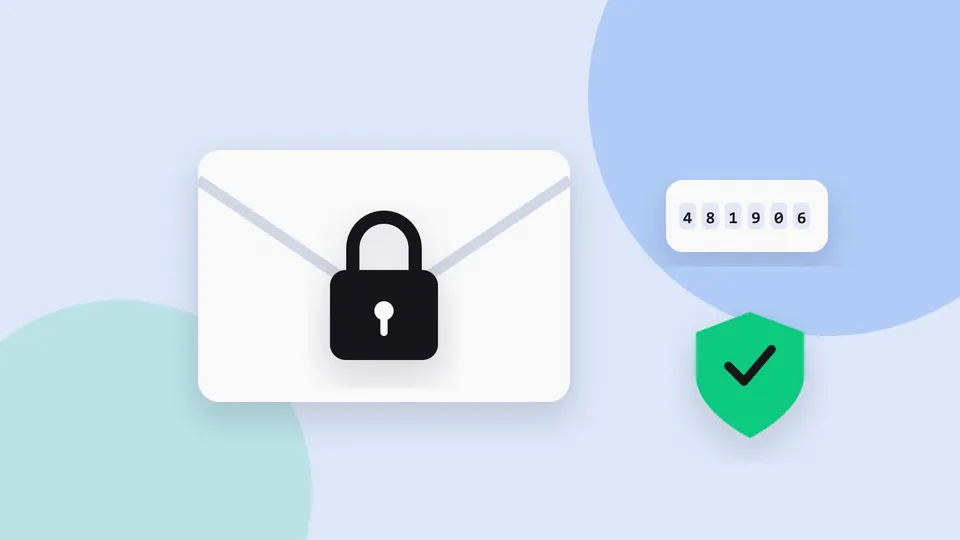
People spend a lot of energy on passwords. Long ones, short ones, ones with exclamation marks at the end. Then they set the recovery email to an address they stopped using in 2015.
That's the gap attackers love. Why guess a password when you can just reset it? If someone controls the inbox or phone number your account trusts, they control the account. Your clever password never even comes up.
So this isn't another lecture about password length. It's a short audit of the settings that actually decide who gets in.
Start with the account that resets all the others
Think about how you'd get into your bank, your hosting, your social media if you forgot every password. Almost always, the answer is a reset link sent to one email address. That inbox is your real front door.
Secure it before anything else. A strong, unique password. Two-factor sign-in turned on. And a recovery method you still control today, not one from three jobs ago.
A twenty minute recovery audit
Pick your five most important accounts. Usually that's your main email, your bank, your domain or hosting provider, your password manager and whatever you use for work. For each one, open the security settings and check these.
- Recovery email. Is it an address you can sign into right now? Test it.
- Recovery phone. Is it your current number? Old numbers get reassigned.
- Two-factor method. Is it on? Which method is it using?
- Signed-in devices. Remove anything you don't recognise or no longer own.
- Backup codes. Do you have them saved somewhere safe and offline?
Most people find at least one surprise. An old phone that still has access. A recovery address with a typo. That's the point of doing it.
Not all two-factor is equal
Two-factor sign-in means a password alone isn't enough. That's a huge improvement over nothing. But the second factor you choose matters more than people think.
| Method | How it works | Main weakness |
|---|---|---|
| SMS code | A code sent by text message | Phone numbers can be hijacked through SIM swaps |
| Email code | A code sent to another inbox | Only as safe as that inbox |
| Authenticator app | A code generated on your phone | Lose the phone without backups and you're locked out |
| Passkey | Your device confirms it's you with a fingerprint, face or PIN | Needs a little setup on each new device |
| Hardware key | A small USB or NFC key you tap | You have to carry it, and keep a spare |
SMS is better than nothing. Still, if a service offers an authenticator app or passkeys, switch. Google, Apple and Microsoft all support passkeys now, and so do a growing number of other sites.
Attackers rarely break the lock. They find the spare key under the mat.
Where to keep backup codes
When you turn on two-factor sign-in, most services hand you a list of one-time backup codes. People skip this screen. Then their phone breaks and they spend a week arguing with support.
- Save them in your password manager, in a separate entry from the account.
- Or print them and keep the paper somewhere you'd keep a passport.
- Never store them only inside the account they unlock. That defeats the point.
If you run a website, add two more checks
Website owners have extra doors. Your domain registrar and your hosting account can take your whole site down if someone else gets in.
On WordPress, remove admin accounts you don't need and give each person their own login. Shared admin passwords are impossible to revoke cleanly when someone leaves.
If you want to see whether your email has turned up in a known breach, Have I Been Pwned is free and has been around for years. It won't fix anything on its own. It does tell you where to start.
It's much better than having no second factor. The risk is a SIM swap, where someone convinces your carrier to move your number to their SIM. If an app or passkey option exists, use that instead.
A passkey replaces your password with a key stored on your device. You confirm it's you with your fingerprint, face or screen lock. There's nothing to type, so there's nothing to phish.
Once a year is a good habit, and any time you change phone numbers, leave a job or stop using an email address.
Written by
Founder, Modulus Tools
Usama builds easy to use AI tools, Chrome extensions and WordPress plugins at Modulus Tools, and writes about what he learns shipping them: browser privacy, WordPress SEO and the small habits that make work easier.