How Custom Software Tools Help Businesses Simplify Daily Workflows
Stop patching disconnected spreadsheets and bloated software around your daily operations—discover how tailored tools turn repetitive bottlenecks into smooth, effortless routines.
The tipping point came when a wedding weekend arrived when two crews were dispatched to each deliver the same marquee to separate locations. There was nothing anybody did wrong. It was just that the spreadsheet hadn't gotten the word until the phone call. Callum began his research, speaking with a Custom Software development Company, and he knew that he didn't need to decide whether or not to digitize; he just needed to find out how much of his day was being consumed by non-value-adding activities and what parts of these he could let a tool take over. His tale demonstrates the benefits of good-quality bespoke software and the good rule for determining when it pays off.
Where Daily Workflows Quietly Break
Most businesses have no software trouble. Little to no continuity of play. Information begins somewhere, is copied someplace else, awaits validation by someone, and then is deposited somewhere else where it can be utilized. Each step presents a potential opportunity for delays, mistakes, or lost messages. Callum's team counted. They monitored each time someone re-entered data that was already there over two weeks. During the two weeks, they recorded the number of times someone re-entered data that was already entered in another location. A booking request was added to email and then the spreadsheet and the invoicing system and then the delivery schedule. Multiple entries are allowed for a single job. That was thousands of repeated keystrokes and a steady drip of mistakes over 40 jobs each week. The price of these issues is seldom seen as a line item. It manifests itself as stress, overtime, and the overall message that everyone is toiling and nothing is getting any easier.
Why Off-the-Shelf Tools Fall Short
Packaged software is great for typical problems. Invoicing is easy with the help of accounting software such as Xero and QuickBooks. Project tools work on tasks. However, most companies have processes that are specific to their business and generic tools make them conform. Callum tested out three event management platforms. Each with its own format: Venue, caterer, planner. No one realized that his basic issue was correlating physical goods with dates, delivery personnel and truck capacity. He came up with using them as glorified calendars, while the actual reasoning remained in spreadsheet files. With custom software, the process begins with the end in mind. It is designed to fit around the manner in which your business functions, not to mention any peculiarities that you have that no template will cover.
What the Tool Actually Did
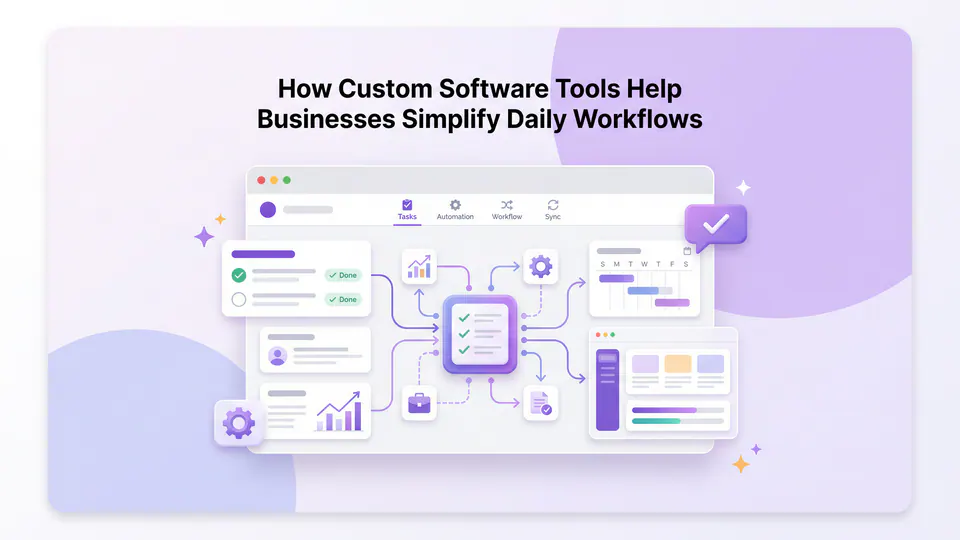
Callum's first system accomplished four things, none of which featured glamour. It followed inventory on a date basis. If someone had booked a trip, the system identified any conflicts on the days concerned and alerted them to the problem immediately, rather than the two crews finding it out on Saturday morning. It created quotes and bookings from a single entry. This created the quote, maintained the inventory and transferred the accepted jobs to the delivery schedule – all of this was done by a salesperson who typed the job details once. It provided drivers with a mobile way to view their day: addresses, access notes, equipment lists and take photos of damage. Earlier, damages were settled with memory and the camera roll of a mobile phone. It also integrated with Xero via its API, which meant that no jobs were being reprovided in invoicing. This didn't involve any artificial intelligence, blockchain, or anything. It involved identifying which operations were performed and eliminating redundant operations.
Integration Matters More Than Features
One of the most common errors is to view software as a collection of features. The value typically comes from how well a tool integrates with the other systems in use at a business. Modern systems exposes APIs to enable software-to-software interaction. Custom tools can extract data from accounting systems, payment processors such as Stripe, mapping providers, and messaging providers. If they function correctly, information flows freely without the intervention of humans, and human becomes no longer the glue that connects the systems together. This was Callum's largest early savings. Brett's weekly stock reconcile was previously a lengthy process that took most of a Friday, but was now a simple exception review that was flagged by the system. He keeps looking around. He only looks at the appropriate things.
When Custom Is the Right Call, and When It Isn't
Custom software isn't always the answer. If a standard tool covers eighty percent of your needs and the remaining twenty can be handled with a small workaround, buying is usually smarter. Building makes sense when a process is central to how the business makes money, when off-the-shelf tools force costly workarounds, or when you need integrations that no product offers. There's also a middle path. Low-code platforms like Airtable and tools like Zapier can handle simple automations at low cost. Many companies start there, learn what they actually need, and move to custom development once the process is clear. Custom software development for startups follows slightly different logic. Early-stage companies rarely know their workflow well enough to freeze it in code, so the smart approach is usually a small, focused tool that solves one painful problem, built in a way that can grow. A startup that builds a large internal platform before validating its business model risks spending its runway on software for a process that will change next quarter.
Adoption Is the Hard Part
A tool nobody uses has no value. Callum's biggest worry wasn't the technical build. It was whether his crew would actually switch from the whiteboard. His developers handled this by involving staff early. Drivers tested the mobile screens and asked for bigger buttons because they often wore work gloves. The warehouse team insisted that stock lookups work offline, because the back of the warehouse had poor reception. Both requests were simple to implement and made the difference between adoption and quiet rebellion. They also ran the old and new systems in parallel for three weeks. It was extra work, but it meant the team could trust the new tool before relying on it.
Security and Privacy Basics
Business software holds customer details, pricing, and sometimes payment information. In Australia, the Privacy Act and its Australian Privacy Principles set expectations for how personal information is handled. Practical steps include role-based access so staff only see what they need, encrypted data storage, regular backups, audit logs that record who changed what, and clear rules for removing access when someone leaves. Callum's system stored no card numbers. Payments went through a provider, and the app kept only references. It's a small decision that reduces risk considerably.
What It Costs and How Long It Takes
Prices depend on scope, integrations, and who builds it. A focused internal tool with a web dashboard, a mobile view, and a couple of integrations commonly falls between AUD 40,000 and AUD 150,000, with timelines of three to six months. Ongoing maintenance typically adds fifteen to twenty percent of the build each year to cover updates, hosting, and small improvements. Callum's first version cost about AUD 72,000. He regards the biggest savings as invisible: fewer double bookings, fewer disputes, and less dependence on one person's memory. He also spent about AUD 4,000 on a short discovery phase at the start, which helped him cut two features he thought he needed.